



By: Nilo Santiago Feb 25/2026

These days, AI is integrated into almost everything. From search tools to tracking, LLMs are taking over the tools marketers use in an effort to make things easier and more efficient for us. However, integrating AI into your UX design isn’t just about adding automation or chatbots; it can use data, algorithms, and learning systems to design experiences that understand and anticipate user needs. We’ve previously written about integrating AI into your SEO and Google Ads, even working with it for web development. Now, we’re going to explore how to use AI as a tool to assist with your UX design. We’ll also look at some use cases and best practices for maintaining a human-centred approach.

By integrating AI into UX design, we can create more effective design processes and better experiences for end-users by analyzing user behaviour, generating design solutions, or adapting interfaces in real time.
UX can integrate AI to assist with:
When it comes to integrating AI into UX Design, the goal is not to replace designers but enhance creativity and productivity.
Now that we’ve discussed how AI can be used to assist with UX design, it’s time to get more specific. Here are some tasks that you can use AI for assistance with, as well as some of the tools that will make these tasks easier.
AI can help designers process a large amount of data from analytics tools, user sessions, and surveys to uncover patterns and insights more quickly.
Tool:
Analyze behaviour patterns or points of friction in user journeys using AI-powered tools such as Hotjar, FullStory, or Microsoft Clarity.

Benefit:
These tools will save hours of manual research and uncover deeper insights into user intent.
AI-driven design platforms such as Uizard, Galileo AI, or Figma’s AI assist can generate wireframes, components, and layout ideas based on text prompts.
How it works:
Example:
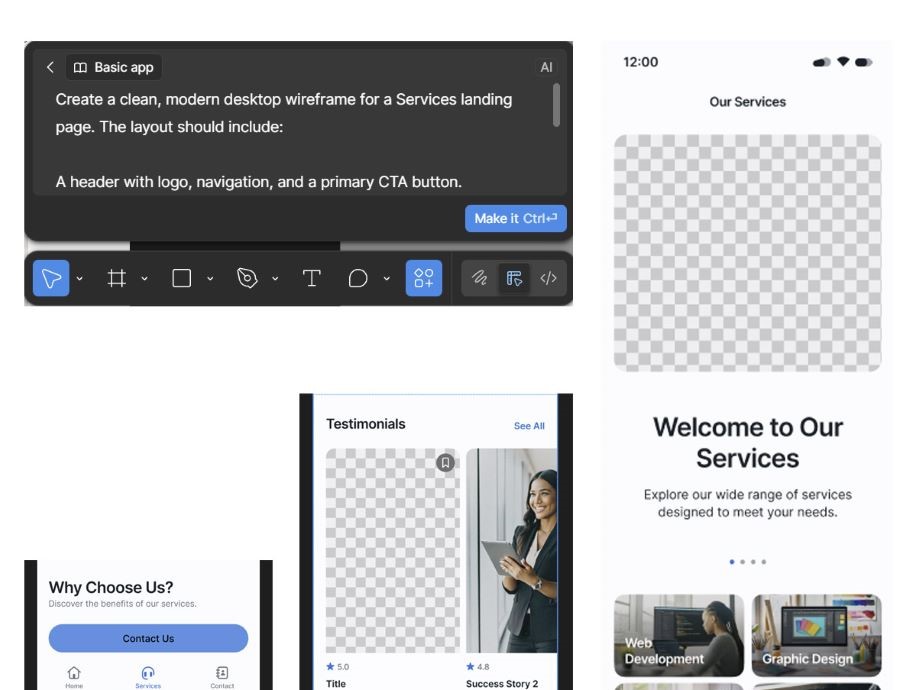
Benefit:
These tools accelerate early design stages and allow designers to explore more creative directions quickly.
AI can simulate user interactions, analyze usability test videos, or even predict which designs will perform better.
Example:
Benefit:
These tools help reduce testing time and help teams make data-driven design decisions.
AI can detect accessibility issues (like colour contrast or screen reader compatibility) and suggest improvements automatically.
Example:
Benefit:
These tools help ensure inclusive design and compliance with WCAG accessibility standards.
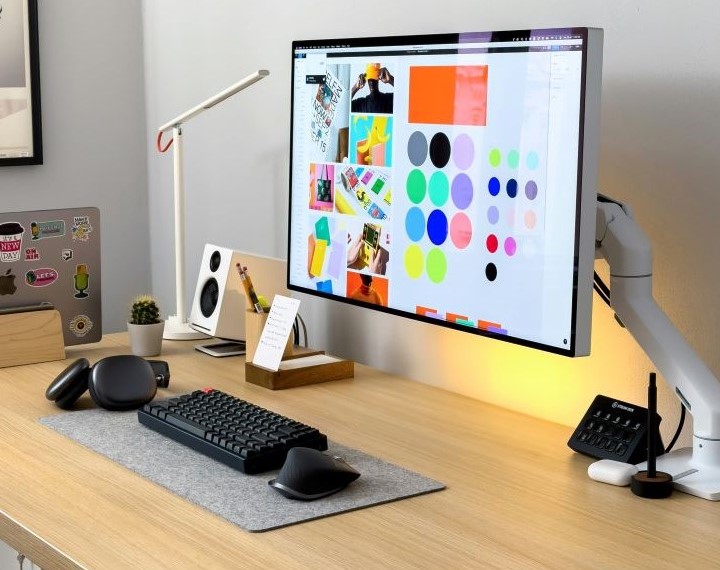
Some of the most useful AI-driven tools for UX designers include:
Each tool enhances different stages of the UX process, whether ideation, research, or production.
While AI brings power and speed, we must maintain human-centred design and keep UX rooted in empathy and ethics. Designers should always interpret AI insights critically to ensure user trust is not compromised and that accuracy is upheld.
Key principles:

Chances are, AI will become even more embedded in UX in the coming years, moving from support tools to co-creators. The designers who thrive in this new era will be those who balance creativity, data, and ethics with AI.
This is why integrating AI into UX design isn’t about replacing intuition; it’s about amplifying it. When used thoughtfully, AI empowers designers to create experiences not only more efficient and scalable but even more empathetic and responsive to real user needs.
Looking to level up your website’s UX design? Reach out to Snaptech for a chat!
